Windows Sysmon Setup
Step 1: Download Windows Sysmon Software
On the Windows Server and Windows 11 VM, download Windows Sysmon
Also download Sysmon Configuration File
Save the Sysmon Configuration File into the Windows Sysmon Folder
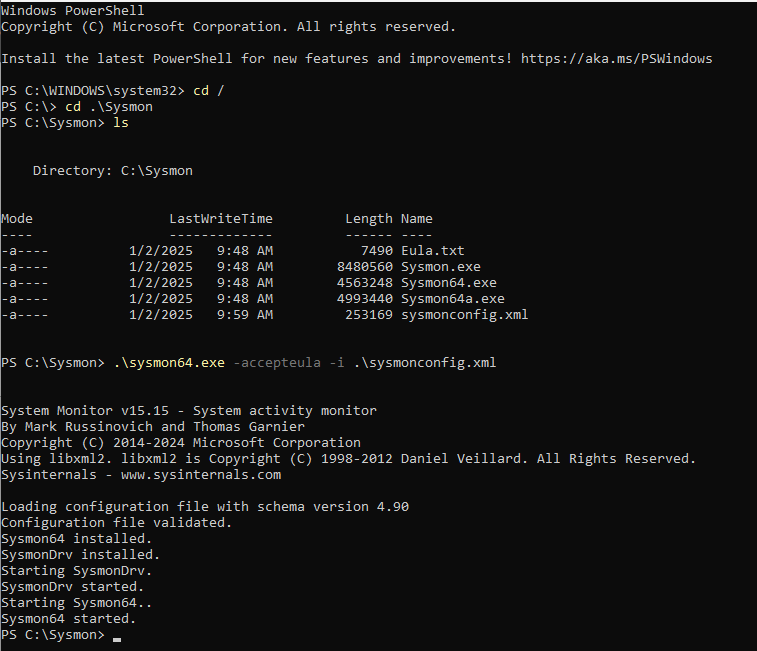
Step 2: Install Sysmon
Launch Powershell in Administrator mode
Change directory to the Windows Sysmon Folder
Install Sysmon with command sysmon.exe -accepteula -i YOURFILE.xml